|

|
Kurzbeschreibung:
Download Keynote Creator Studio 15.3.1 for Mac – Activated Version
Category: Productivity, Presentations | License: Full | Language: Multilingual | File Size: 428 MB
 Professional presentation software that lets you create stunning slideshows with over 40 Apple‑designed themes, cinematic animations, and powerful collaboration tools. Keynote Creator Studio 15.3.1 is Apple's flagship presentation app, supporting real‑time collaboration, multi‑presenter slideshows, and live video integration directly on your slides. It runs on macOS 15.6 or later, with optimizations for both Intel and Apple Silicon Macs.
Instead of wrestling with complex design tools or juggling separate apps for collaboration, Keynote centralizes everything in one polished workflow. Educators can create engaging lessons with interactive charts, over 700 editable shapes, and cinematic transitions like Magic Move and emphasis builds; business professionals can collaborate in real time with team members across Mac, iPad, iPhone, and PC, with live cursor tracking and automatic iCloud saving; creative presenters can take advantage of the new Pixelmator Pro integration to edit images directly from the app, generate custom shapes from text descriptions, and use fresh transitions (shift, radial wipe, character blur) for a modern, professional look. With multi‑presenter mode, AirPlay, and video conference support, Keynote adapts to any setting – whether you are in the boardroom, the classroom, or presenting remotely.
Key Features
Collaboration: Real‑time collaboration with your team on Mac, iPad, iPhone, and PC – see who's editing and follow other cursors.
Create Stunning Presentations: Over 40 Apple‑designed themes, live video integration, interactive charts, over 700 editable shapes, Instant Alpha for background removal, and Import PowerPoint.
Cinema‑Quality Animations: Magic Move, emphasis builds, and cinematic transitions – live on‑canvas previews as you animate.
Multi‑Presenter Slideshows: Let participants take turns controlling the presentation from their own device – present over video conference with notes and navigation.
iCloud Sync: Access and edit from Mac, iPad, iPhone, and iCloud.com – automatic saving as you work.
Export & Share: Export to PowerPoint, PDF, HTML, movies, and images – AirDrop to anyone nearby.
Simple workflow: Choose a theme from the Theme Chooser – add slides, text, images, charts, and shapes. Use animations and transitions to bring your presentation to life.
What's New
Bug fixes and performance improvements.
System Requirements
macOS 15.6 (Sequoia) or later (compatible with macOS Tahoe)
Intel Core i5/i7/i9 or Apple Silicon (M‑series)
8 GB RAM (16 GB recommended)
450 MB available disk space 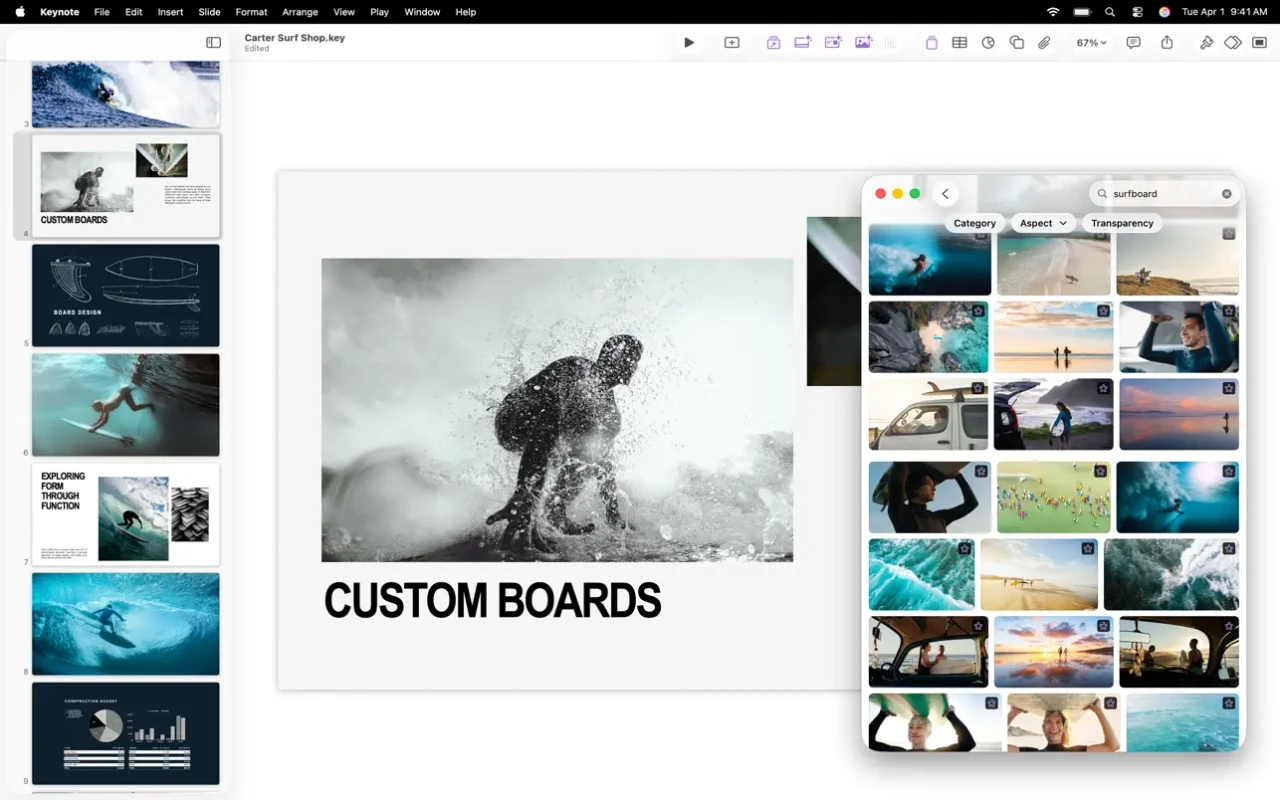
|


 -
- 

