|

|
Kurzbeschreibung:
Download uBar 4.2.4 for Mac - Full Version
Category: Utilities, System Tools | License: Full | Language: English | File Size: 6 MB
 uBar is a powerful Dock replacement and window manager for macOS, designed to boost productivity with advanced app and window management features. It displays all your open windows front and center, with live previews, app activity monitoring, and multi‑monitor support. The app runs on macOS 10.13 or later, supporting both Intel and Apple Silicon Macs.
Instead of relying on the limited Dock introduced in 2001, uBar centralizes window management in a versatile task bar that adapts to your workflow. You can configure it as a dock or a task bar, position it on any side of the screen, and customize its appearance with themes and sizes. Multi‑monitor setups get their own bar per display, showing only the apps and windows on that screen – or you can use Mirror mode for consistency. With features like live window previews, app flashes for attention, CPU/RAM activity monitoring, drag‑and‑drop launching, customizable favorites, and expandable rows, uBar delivers a modern, efficient window management experience that makes finding and switching between windows instant and effortless.
Key Features
Live Window Previews: Hover over any app to see visual previews of all its open windows – find the window you need instantly.
Multi‑Monitor Support: Each screen gets its own bar showing only its apps and windows – or use Mirror mode for the same bar everywhere.
App Activity & Status: See CPU and RAM usage per app with the Control key; spot launching, unresponsive, and restorable apps at a glance.
Customizable Appearance: Choose from System, Light, Dark, Platinum Neue, Now Playing, or Custom themes; adjust sizes (Small, Medium, Large, Huge) and position the bar on any side.
Drag‑and‑Drop & Favorites: Drag folders and files onto apps to launch them; add favorite apps, folders, and files to the favorites area for quick access.
Window Grouping & Management: Set grouping to Always, Never, or Automatic; expand uBar up to five rows; pin to any corner or let it float.
System Requirements
macOS 10.13 (High Sierra) or later. 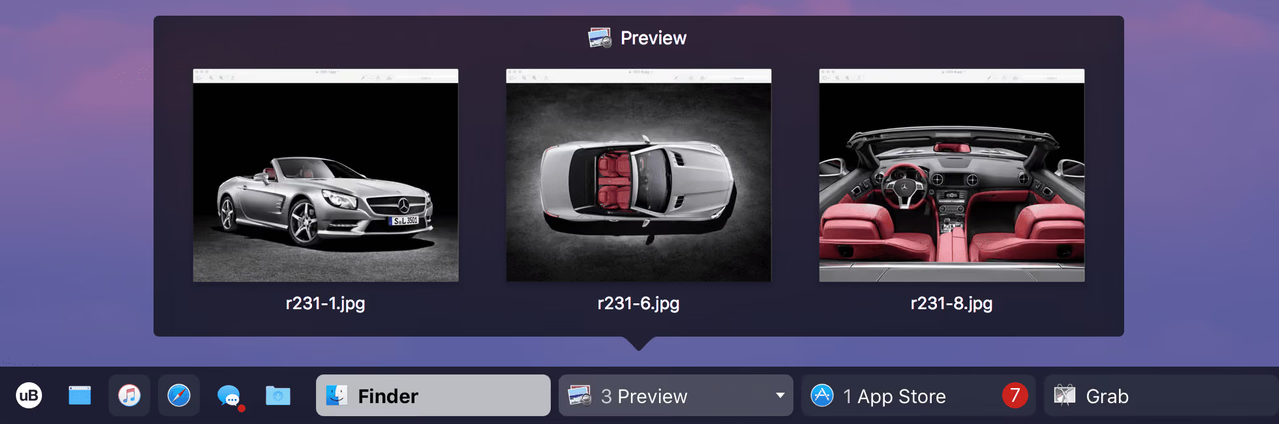
|


 -
- 

